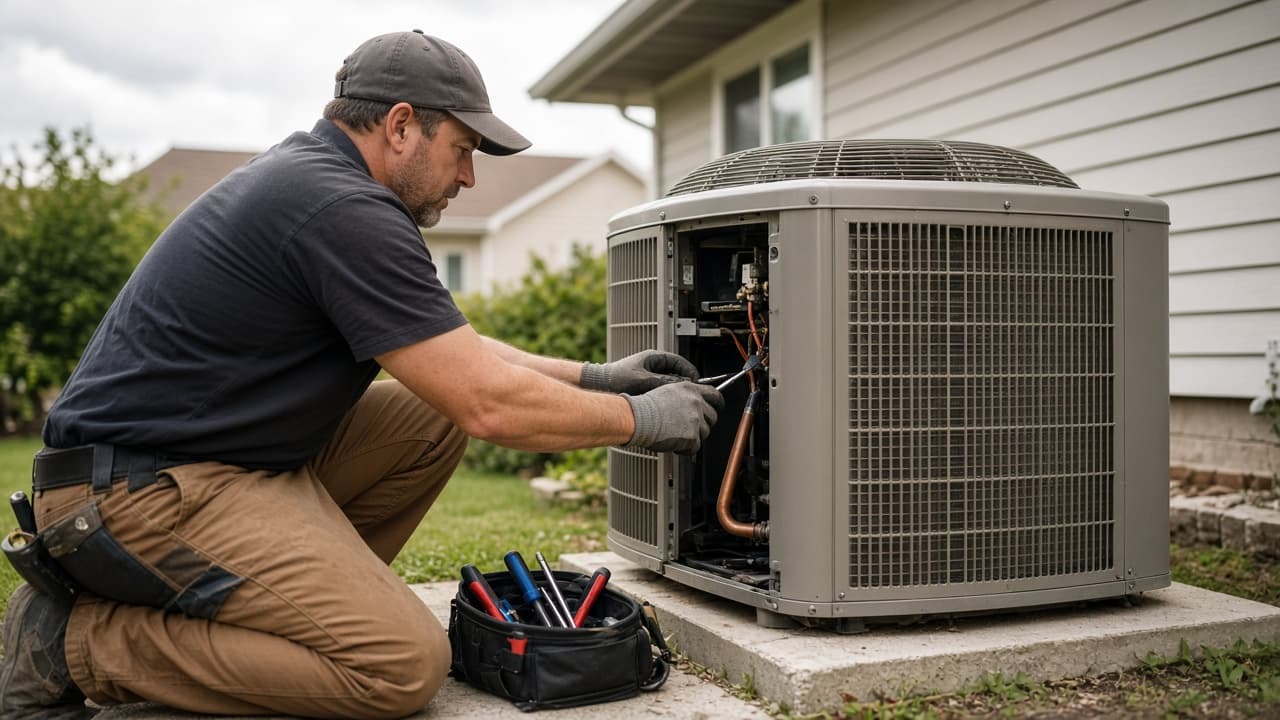
Built for property preservation & maintenance teams

Run property preservation operations from one place.

Work Orders, Crews, field evidence, estimates, onboarding, property history, and processor-ready closeout — without losing control between the Office and the field.

14 days · No credit card required

Are you a field contractor? Create a Free Crew Account →

CBOffice · Work Orders
CrewBaseHQ

Active work

12 open

123 Oak Ave

Board-up · Assigned

48 Pine Street

Grass cut · Awaiting crew

901 Grant Road

Inspection · RFO review

Search work, properties, crews⌘K

WO-18492

123 Oak Ave

Atlanta, Georgia · Board-up

Needs RFO review
Crew

Assigned

Status

Complete

Evidence

Attached

RFO

Review

Closeout readiness

1 item to review
Required photos
Crew estimate
Completion note

Illustrative product view · labels reflect CrewBase workflows.

One operational record from Office to field.

Vendor managers · processors · field teams · independent Crews

The handoff problem

Work Orders shouldn't disappear between the Office and the field.

Preservation work often lives across too many places. CrewBase connects the record so the next person has the context they need.

Before

EmailsTextsSpreadsheetsClient portalsPhoto foldersInvoice threads

A missing photo, changed scope, or late invoice means another round of chasing.

With CrewBase

Work Order

Scope, due date, Crew, and status

Field evidence

Photos, estimates, invoices, and notes

Review

Before You Leave and RFO readiness

Handoff

Processor and Client submission context

The operating chain

Keep the full record through the handoff.

Office → Crew → Property → Evidence → Review → Processor → Client.

  1. 01

    Receive Work

    Bring the client request into a Work Order.

  2. 02

    Source / Assign Crew

    Use your Crew Book, Coverage, or a bid link.

  3. 03

    Crew Executes

    The field side sees the allowed scope and due date.

  4. 04

    Evidence & Estimate

    Photos, notes, pricing, and invoice stay together.

  5. 05

    Office Review / RFO

    Resolve missing requirements before submission.

  6. 06

    Processor / Client

    Hand off a complete, traceable package.

For the Office

Built around the way preservation offices actually operate.

Give vendor managers, dispatchers, processors, and owners one place to see what is assigned, what is missing, and what can leave the Office.

CBOffice · Work Orders
CrewBaseHQ

Active work

12 open

123 Oak Ave

Board-up · Assigned

48 Pine Street

Grass cut · Awaiting crew

901 Grant Road

Inspection · RFO review

Search work, properties, crews⌘K

WO-18492

123 Oak Ave

Atlanta, Georgia · Board-up

Needs RFO review
Crew

Assigned

Status

Complete

Evidence

Attached

RFO

Review

Closeout readiness

1 item to review
Required photos
Crew estimate
Completion note

Illustrative product view · labels reflect CrewBase workflows.

Work Orders that stay together

Assign Crews, track status and due dates, collect evidence, review estimates and invoices, and keep property history attached to the work.

No Silent Work Order Changes

When important details change after assignment, CrewBase keeps an immutable record and clearly surfaces the update.

Before You Leave Property Check

Verify required photos, checklist items, estimates, invoices, and notes before the visit is treated as ready.

Rules-Based RFO Readiness

Processor-ready checks make missing field packages visible before they become another callback.

Property Memory

Keep prior tenant-scoped visits, Work Orders, photos, and operational history tied to the property.

Client-Specific Rulebooks

Preserve each client’s documentation and Work Order requirements with the job they govern.

Profit Guard is a Pro-level control

Protect internal margins before crew commitments create an unprofitable Work Order. See the plan details below.

Crew Book + CB Network

Build a Crew network you actually control.

Discover a Crew, request a connection, let the Crew accept, onboard them, and then assign Work. Public discovery never means random direct assignment.

01

Discover

Coverage, services, availability

02

Request Connection

Start a professional relationship

03

Crew Accepts

Both sides opt in

04

Onboard → Assign

Choose your path, then dispatch

JP

James Property Services

Atlanta, Georgia

Available
Property PreservationLandscapingHandyman

Coverage

Atlanta metro

Documents

Insurance on file

Crew Passport · safe public profile preview

Open Crew Bid

Need pricing from Crews you haven't onboarded yet?

Create a secure bidding link and send it by text, email, or QR code. Contractors can review safe job details and submit their name, price, ETA, availability, and notes — without creating an account.

Selecting a bid still follows your connection and onboarding rules.

OPEN CREW BID

Board-up · 123 Oak Ave

Link active

What the Crew sees

Scope · property area · reference photos

What the Crew submits

Price · ETA · availability · notes

Next Office step

Review bid → connect → onboard → assign

Copy secure bid link

Crew onboarding

Crew Onboarding — Your Way.

E-Sign is optional. Each LLC chooses how much onboarding it needs for the relationship and the work.

01

CrewBase E-Sign

Send the packet, collect signatures, and keep signed artifacts with the relationship.

02

Manual Documents

Use your existing process and record the documents you received.

03

No Packet Required

Keep onboarding lightweight when the work and relationship do not need a packet.

Operations Map + Global Search

Find the job, property, or Crew without digging.

See your operational footprint, map Work Orders and properties, find authorized Crew discovery, and jump to records with permission-aware search.

This is not live employee tracking.

Operations Map

Search ⌘K

Atlanta metro

Work Orders · Properties · Authorized Crew

For field Crews

Crews get their own tools — free.

CrewBase doesn't charge field contractors just to receive and complete work. Build your own portable profile and keep your core Crew tools.

Create Your Free Crew Account

No monthly fee for core Crew features.

Work

Assigned jobs, photos, checklists, estimates, invoices, completion

Business

Money Tracker, Price Book, business profile, Expenses & Profit

Professional

Coverage, Documents, Crew Passport, portfolio, availability

Field

Route Planner, Operations Map, and navigation

Guest Work Orders

No signup required for Guest Crews.

An LLC can send a secure Work Order link. A Guest Crew can review work, see allowed reference photos, upload evidence, submit estimates and invoices, and complete the work without creating an account.

They can create a free Crew account later to keep their CrewBase history and tools.

SECURE GUEST LINK

Work Order · 123 Oak Ave

Review work
Upload evidence
Submit estimate
Submit invoice
Complete work

Scoped to this Work Order · no account required

Free field tool

Need to send job photos quickly?

Upload photos, tag Before / During / After, and share a clean link. No signup required.

Use Photo Drop

The difference

Built for the messy parts of preservation operations.

The details that usually live in a text thread or someone's memory have a place in the Work Order.

No Silent Changes

Important Work Order revisions stay visible.

Guest Work Without Signup

Invite a Crew without adding account friction.

Before You Leave Checks

Catch avoidable gaps while the Crew is still at the property.

Property Memory

Keep the operational story attached to the property.

Client Rulebooks

Carry client-specific requirements into the job.

Optional Crew E-Sign

Choose E-Sign, manual documents, or no packet.

Your LLC stays your LLC.

Each company workspace keeps its own users, clients, work, credentials, documents, and billing. Role and permission controls, private Crew financial data, and connection-based access keep the boundaries clear.

One account can manage several LLCs. Each LLC remains independently subscribed, permissioned, billed, and scoped.

Pricing by LLC

Start with the workflow you need.

Every Office plan includes a 14-day trial with Operations access. Crews stay free forever, and there is no per-Crew charge.

Starter

Small teams getting organized

3 Office users
$59/ month

per LLC

  • Work Orders and assignments
  • Crew Book and discovery
  • Photos, estimates, and invoices
Start 14-Day Free Trial
Most Popular

Operations

Growing preservation operations

8 Office users
$129/ month

per LLC

  • Everything in Starter
  • Before You Leave checks
  • Property Memory and Client Rulebooks
  • Rules-Based RFO Readiness
Start 14-Day Free Trial

Pro

Established teams protecting margin

20 Office users
$229/ month

per LLC

  • Everything in Operations
  • Profit Guard
  • Advanced reporting and team visibility
Start 14-Day Free Trial

Launch Offer

First 50 paying LLCs receive 25% off their first 12 months.

Additional Office seats: $12/month each

One owner may manage multiple LLCs. Each LLC has its own plan, billing, permissions, and data boundary.

Compare all features →

Clear answers

Questions Office owners ask first.

What is CrewBaseHQ?

An operations platform for property preservation and maintenance companies and the Crews doing field work.

Are Crew accounts really free?

Yes. Core Crew accounts are free forever. There is no monthly fee for core Crew features.

Does each LLC need a subscription?

Yes. One owner may access multiple LLC workspaces, but each LLC has its own subscription and data boundary.

Can a Crew complete a Work Order without an account?

Yes, when the LLC sends a secure Guest Work Order link. A free Crew account can be created later.

Do you require a credit card for the trial?

No. Office trials last 14 days and begin with Operations-level access.

Can Crews bid without signing up?

Yes. An Open Crew Bid link lets a contractor submit pricing, ETA, availability, and notes without an account.

Your field operation shouldn't live across texts, spreadsheets, and photo folders.

Bring Work Orders, Crews, evidence, and property history into one operational workspace.

14 days · No credit card required